
Server Virtualization Services in Michigan
Maximize Efficiency. Minimize Costs. Modernize Your Infrastructure.
Most West Michigan businesses are running more physical servers than they need — and paying for the hardware, energy, and maintenance costs that come with them. Server virtualization lets you consolidate that infrastructure, run more workloads on fewer machines, and build in the flexibility and disaster-recovery capabilities that used to require an enterprise IT budget. Real IT Solutions provides expert IT Consulting for Grand Rapids and Kent County SMBs, designing, implementing, and managing tailored virtualization environments.
- Server Virtualization — VMware ESXi & Microsoft Hyper-V
- Desktop Virtualization & Virtual Desktop Infrastructure (VDI)
- VM Migration & Physical-to-Virtual (P2V) Conversion
- Virtualized Backup & Disaster Recovery
- Ongoing VM Management & Performance Monitoring
- Hybrid Cloud Integration — On-Premise to Microsoft Azure

What Is Server Virtualization — And Why Does It Matter for Your Business?
The Technology Explained
Virtualization uses software — called a hypervisor — to create multiple virtual machines (VMs) on a single physical server. Each VM runs its own operating system and applications, completely isolated from the others, but sharing the underlying hardware resources. The result is that one physical server can do the work of five, ten, or more — with better resource utilization, faster recovery times, and significantly lower overhead.
For West Michigan SMBs, virtualization solves a problem that’s been getting more expensive every year: the traditional model of one application per physical server. That model wastes CPU, memory, and storage — most physical servers run at 10–15% of capacity on average. Virtualization changes that equation entirely.
The two dominant platforms for business virtualization are:
| VMware ESXi | Microsoft Hyper-V |
|---|---|
| Industry-leading type-1 hypervisor running directly on bare metal. Managed through the vCenter platform for centralized control over virtualized environments. Best suited for businesses needing advanced features and a mature, proven ecosystem. | Included with Windows Server licensing, making it highly cost-effective for SMBs. Integrates natively with Active Directory, Group Policy, and Microsoft 365. Features Hyper-V Replica for disaster recovery and Live Migration for zero-downtime maintenance. |
| Strong third-party ecosystem and support for complex, multi-platform environments. Advanced features like vMotion (live VM migration) and Distributed Resource Scheduler (DRS). | Lower total cost of ownership for most SMBs. Shielded VMs, virtual TPM, and Host Guardian Service (HGS) provide enterprise-grade security without enterprise pricing. |
| Best for: Organizations with complex multi-platform environments or existing VMware investment. | Best for: Microsoft-centric SMBs looking to maximize existing Windows Server licensing and minimize additional costs. |
Real IT Solutions works with both platforms and will recommend the right fit based on your existing environment, budget, and long-term goals — not on vendor preference.
Cloud Migration — Only When It Makes Sense
An Honest Take on Cloud vs. On-Premise
Going to the cloud works great for some businesses. Remote teams, multi-location companies, and organizations that need to scale fast often benefit from Microsoft Azure or Microsoft 365. But here’s what most IT providers won’t tell you: cloud is not a way to save money.
If most of your team works onsite, cloud is often slower and more expensive than keeping things local. It’s more scalable, yes — but scalable doesn’t always mean cheaper. We don’t rush you to the cloud because everyone’s shouting that it’s the right way. We care about real solutions for your actual business.
We’ll tell you what’s best for your situation — not what’s best for our recurring revenue.
Five Ways Virtualization Changes the Economics of Your IT Infrastructure
The Business Case
Virtualization isn’t just a technical upgrade — it changes how your IT budget works. Here’s what West Michigan businesses typically see after a well-executed virtualization project:
| Benefit | What It Means in Practice |
|---|---|
| Cost Savings | Fewer physical servers means lower hardware spend, reduced energy consumption, and less data center or server room footprint. Hardware refresh cycles become less frequent and less expensive. |
| Scalability & Flexibility | Spin up a new virtual server in minutes rather than days. Scale resources up or down without purchasing new hardware. Add workloads as your business grows without major capital investment. |
| Improved Disaster Recovery | VMs can be snapshotted, replicated, and restored far faster than physical servers. Hyper-V Replica and VMware Site Recovery enable documented recovery time objectives (RTOs) that physical infrastructure simply can’t match. |
| Enhanced Resource Utilization | Stop wasting 85–90% of your server capacity. Virtualization consolidates workloads onto fully utilized machines, maximizing CPU, memory, and storage investment across your environment. |
| Simplified IT Management | Manage your entire server environment from a single console. Live Migration (Hyper-V) and vMotion (VMware) allow planned maintenance without any service interruption — no more scheduling downtime windows. |
Virtualization Services Real IT Solutions Provides
What We Do
We handle every phase of a virtualization engagement — from the initial assessment through ongoing management — so your team doesn’t have to develop in-house expertise in platforms that take years to master.
- Virtualization Assessment — We evaluate your current server environment, identify consolidation opportunities, and produce a right-sized virtualization plan with projected cost savings and a realistic implementation timeline.
- Physical-to-Virtual (P2V) Migration — We convert existing physical servers into virtual machines with minimal downtime, preserving your applications, data, and configurations throughout the process.
- VMware ESXi Implementation — Design and deployment of VMware virtualization environments including ESXi host configuration, vCenter setup, and VM provisioning.
- Microsoft Hyper-V Implementation — Windows Server-based virtualization environments with Hyper-V, including Failover Clustering, Cluster Shared Volumes (CSV), and Hyper-V Replica configuration for disaster recovery.
- Virtual Desktop Infrastructure (VDI) — Centralized desktop environments that let your team access their workstation from any device, anywhere — with consistent performance and centralized security management.
- Virtualized Backup & Disaster Recovery — VM-aware backup solutions with tested recovery procedures, documented RTOs, and offsite or cloud replication to Real IT’s secure datacenter.
- Hybrid Cloud Integration — Extend your on-premise virtualized environment to Microsoft Azure, creating a hybrid infrastructure that balances performance, cost, and flexibility.
- Ongoing VM Management — Proactive monitoring, performance tuning, snapshot management, and capacity planning for businesses that want expert oversight of their virtual environment without hiring dedicated staff.
Virtualization That Stays Managed After the Project Is Done
The RealCare™ Difference
One of the most common failure points in virtualization projects isn’t the implementation — it’s what happens after. Virtual environments require ongoing oversight: snapshot management, capacity planning, performance monitoring, and periodic right-sizing as workloads change. Without it, the efficiency gains from virtualization gradually erode.
Real IT Solutions builds virtualization into our RealCare™ managed services model from day one. That means the team that designs and deploys your virtual environment is the same team monitoring and managing it on an ongoing basis — under the Automated and Proactive pillars of RealCare™. You get a virtualized infrastructure that stays healthy, stays optimized, and stays aligned with where your business is going.
- Continuous VM health monitoring and alerting
- Automated backup verification for every virtual machine
- Proactive capacity planning before you run out of resources
- Regular performance reviews as part of your Strategic Business Review (SBR) cadence
- “Thrilled Today or You Don’t Pay” — our guarantee covers the implementation and everything that follows
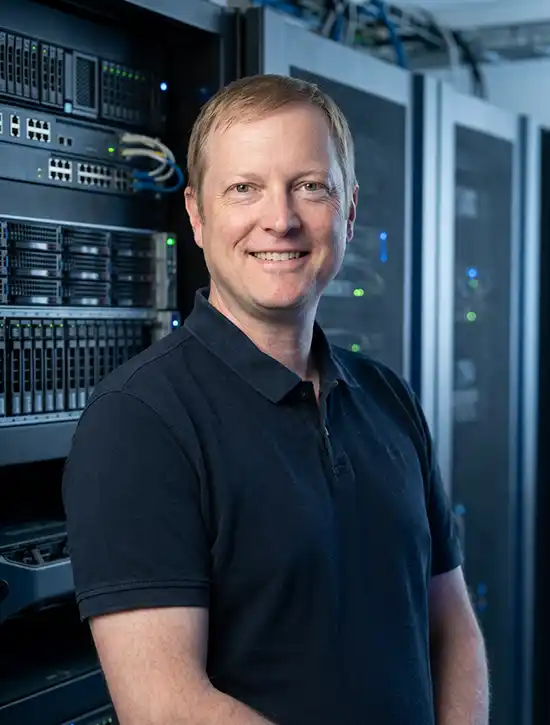
Hello, I’m Adam Peterson, Chief Technology Officer at Real IT Solutions. Let’s talk about virtualization and whether it’s right for your business.
Is Virtualization the Right Move for Your Business?
Signs It’s Time
Virtualization isn’t the right fit for every situation — but for most West Michigan SMBs running aging on-premise infrastructure, it’s one of the highest-return IT investments available. Here are the signals we look for:
- You’re running multiple underutilized physical servers — each dedicated to a single application or workload
- Your hardware is approaching end of life — and you’d rather not replace it one-for-one with new physical machines
- Your disaster recovery plan relies on restoring physical servers — which means recovery times measured in days, not hours
- Your team needs flexible, remote access to workstations or applications — without shipping laptops or managing complex VPN configurations
- You’re planning a move toward Microsoft Azure or hybrid cloud — and want an on-premise virtual environment that integrates cleanly
- Your energy and data center costs are climbing — and you want to reduce your physical server footprint without sacrificing capacity
If any of these describe your situation, a virtualization assessment is the right first step. It’s a low-commitment, high-value conversation that gives you a clear picture of what’s possible and what it would cost.
Server Virtualization — Frequently Asked Questions
Common Questions
Q: Is virtualization only for large enterprises?
A: No — and this is one of the most persistent misconceptions we encounter. Virtualization is one of the highest-return IT investments available to SMBs precisely because smaller businesses often have the most to gain from hardware consolidation. Microsoft Hyper-V in particular is included with Windows Server licensing, making the cost of entry far lower than most business owners expect.
Q: VMware or Hyper-V — which is better for my business?
A: It depends on your environment. For most West Michigan SMBs running Microsoft-centric environments, Hyper-V delivers strong performance at a significantly lower total cost of ownership. VMware is the better choice for complex multi-platform environments or businesses with existing VMware investment. We’ll make a vendor-neutral recommendation after reviewing your current infrastructure.
Q: How disruptive is a virtualization migration?
A: With proper planning, minimal. Most Physical-to-Virtual (P2V) migrations are completed during off-hours or weekends, with near-zero impact on daily operations. We produce a detailed migration plan before any work begins so you know exactly what to expect and when.
Q: Can I move my virtualized environment to the cloud later?
A: Yes — and a well-designed virtualization environment actually makes cloud migration easier. Both VMware and Hyper-V integrate with Microsoft Azure, allowing you to extend or migrate workloads to the cloud at your own pace without starting over.
Q: What happens to my data during the migration?
A: Your data stays intact throughout the process. P2V conversion creates a virtual copy of your physical server — including the operating system, applications, files, and configurations — and moves it to the virtual environment. We verify the VM is fully operational before decommissioning the physical machine.
Q: How much does server virtualization cost?
A: It varies based on your current environment, the number of physical servers being consolidated, and the platform selected. What we can tell you is that most businesses recover the cost of virtualization through hardware savings, reduced energy costs, and lower maintenance overhead within the first one to two years. We provide detailed cost projections as part of every virtualization assessment.
Ready to Get More from the Infrastructure You Already Have?
A virtualization assessment is the fastest way to find out how much your business could save — and what a modernized infrastructure would look like. Our Grand Rapids-based consultants will review your current environment, identify consolidation opportunities, and give you a clear, no-pressure recommendation. — Let’s talk.